


There’s a moment that happens every year around December 2nd when the WordPress community collectively catches its breath. That moment arrived recently with the release of WordPress 6.9—but this year was different. For the first time in WordPress history, a major version shipped live on stage at the State of the Word keynote in San Francisco, updating millions of websites in real time. No fanfare, no delays, just clean, reliable execution.
This moment crystallizes something important: WordPress isn’t the blogging platform your boss set up in 2008 anymore. It’s the foundation for 43.6% of the entire web. Two out of every five websites you visit today run on WordPress. That puts immense responsibility on the platform—and the brilliant part is, the community is rising to meet it.
As we head into 2026, the biggest question isn’t “will WordPress survive?” It’s “where is WordPress going, and am I ready for the shift?”
This article dives into realistic predictions grounded in data, real development roadmaps, and community announcements. We’ll skip the hype and focus on what actually matters for your projects, your clients, and your business.

WordPress 2026 ecosystem showcasing collaboration, AI, and global growth through connected innovation


Part 1: WordPress 6.9 Is Here—What Changed (And Why It Matters)
WordPress 6.9 arrived on December 2, 2025, and it’s quietly one of the most significant releases in recent years. Not because of flashy new features, but because of what’s underneath.
The release pulled together contributions from 921 community members for WordPress 6.8, and added 340+ enhancements and bug fixes for 6.9. That’s the biggest contributor base the project has ever assembled. First-time contributors on the core team? 230 of them. This isn’t a centralized company pushing updates—it’s a global community writing code together.
What shipped in 6.9:
Notes in the Block Editor – You can now comment directly on blocks themselves, not just posts. When you select a note, surrounding content fades so you stay focused. Comments integrate with WordPress’s native system, so they work with email notifications and existing workflows. This is the foundation for real team collaboration.
Block Bindings – A simpler, visual way to connect blocks to dynamic data. Instead of wrestling with code, you switch or remove bindings with a single click. Developers can register custom data sources, opening the door for richer, more dynamic interfaces without coding.
Three Foundational Developer APIs:
- The Abilities API – A unified registry that describes what WordPress can do across PHP, REST endpoints, the command palette, and AI systems. Think of it as a machine-readable instruction manual for AI agents.
- The HTML API – Safer, more reliable server-side HTML handling. Lower barrier for theme and block developers working with dynamic markup.
- The Interactivity API – Smooth, fast interactions without requiring heavy JavaScript frameworks. Better routing, state management, clearer conventions.
Why this matters: These aren’t cosmetic changes. They’re architectural foundations that position WordPress for the next five years of development. AI agents can understand what WordPress does. Themes can work with HTML more reliably. Developers can build interactive experiences using the WordPress philosophy, not fighting against it.

WordPress dominates the global website market with 43.4% share, over 6x larger than its nearest competitor, Shopify
WordPress Market Dominance: The Numbers
| Metric | Value | Context |
| Global website share | 43.4% | 2 out of 5 websites worldwide |
| CMS-only market share | 61.3% | Among sites with identifiable CMS |
| WordPress websites | 478+ million | Growing daily |
| Plugins available | 60,000+ | Largest ecosystem of any CMS |
| Theme releases (2025) | 1,500+ | Continuous platform expansion |
| Plugin downloads (YTD 2025) | 2.1+ billion | On pace for all-time high |
These numbers reveal something profound: WordPress isn’t just dominant, it’s becoming the operating system of the web. When Shopify (6.5% market share) is your nearest competitor, you’ve moved past competition into infrastructure territory.
Part 2: The AI Revolution Inside WordPress
If 2024 was when AI woke up the tech industry, 2025-2026 is when it wakes up WordPress.
At State of the Word 2025, this wasn’t framed as “we’re adding AI features.” It was framed as “WordPress is becoming intelligent infrastructure that AI can understand and work with.”
The Abilities API + MCP Adapter
WordPress now publishes a machine-readable description of what it can do. The Model Context Protocol (MCP) adapter exposes those abilities through a standard that AI systems understand. This means:
- AI agents built by anyone (individual developers, companies, platforms) can understand WordPress’s capabilities
- Instead of one-off integrations, there’s a governed, standard approach
- Safety and predictability come built in
Matt Mullenweg showed real examples: developers using Cursor and Claude Code exploring entire WordPress codebases, generating documentation, writing tests, refactoring components, even coordinating WP-CLI commands. One person’s productivity multiplies because AI handles the routine parts.
Telex: Natural Language to Gutenberg Blocks
Telex is an experimental environment that turns natural-language prompts into Gutenberg blocks. It moved beyond experiment into real use, with creator Nick Hamze using Telex to power revenue-generating micro-business workflows that previously required custom engineering.
The companies building on this? Hostinger’s Kodee generates complete sites from a single description, using the platform of WordPress. Elementor AI creates full sections and layouts in seconds. WordPress.com’s AI tools help draft and refine content while maintaining brand voice. Yoast uses AI to support SEO workflows.
This isn’t coming in 2026. It’s happening right now.
What This Means for Plugin & Theme Development
By 2026, expect:
- AI-assisted debugging and scaffolding for developers
- Deeper contextual integrations (AI understanding the specific problem you’re solving)
- Workflows where agents handle sequences of tasks while humans stay in control
- Standards and shared protocols preventing fragmented implementations
The competitive advantage isn’t in AI features anymore—it’s in how well your plugin or theme works with AI systems. Accessibility to AI, privacy-focused design, and interoperability are the new moats.
AI integration leads development priorities for WordPress in 2026, reflecting the platform’s strategic focus on intelligent automation and collaborative workflows.
Top AI Plugins Reshaping Content Work
| Plugin | Best For | Key Advantage | Starting Price |
| Rank Math SEO | Advanced SEO | AI content analysis + keyword mapping | Freemium |
| Jetpack AI | All-in-one content | Integrated writing & generation | Free (20 req), paid plans |
| AI Engine | Custom AI | Connect to ChatGPT, Azure APIs | Freemium |
| Elementor AI | Visual building | AI text + image generation in builder | $18/mo |
| Divi AI | Design automation | AI layouts + styling | Freemium |
These aren’t academic projects. Rank Math has millions of installations. Jetpack AI has 4M+ active installs. When big players integrate AI this deeply, it signals the market shift. By 2026, not having AI capabilities in your plugin or theme won’t be a competitive disadvantage—it’ll just be a gap.
How small agencies scale WordPress delivery, without hiring full-time teams?

Pooja Upadhyay
Director Of People Operations & Client Relations
Part 3: WooCommerce & E-Commerce—Moving Beyond the Basics
WooCommerce powers 93.7% of WordPress-based e-commerce sites and holds 39% of the overall e-commerce platform market. That’s 5 million websites selling products through WooCommerce. Five million. The scale is staggering, and the platform is evolving fast.
2026 WooCommerce Trends:
1. AI-Powered Personalization Is No Longer Optional
Modern WooCommerce stores analyze shopping behavior in real time, predicting customer preferences and automating inventory management. Dynamic pricing adjusts based on demand. Product recommendations aren’t generic—they’re individual. This isn’t cutting-edge anymore; it’s standard practice moving into 2026.
2. Headless Commerce Is Becoming Mainstream
Decoupling the frontend from the backend isn’t just for tech agencies anymore. By separating content management from presentation, stores get:
- Lightning-fast performance (comparable to native apps)
- Omnichannel consistency (same content across web, apps, voice assistants)
- Complete design freedom (use React, Vue, Next.js, whatever works)
- Better scalability for high-traffic, large product catalogs
Managed WordPress hosting providers are now offering specialized support for headless setups. Real-world examples? E-commerce companies transitioning to headless have seen dramatic performance improvements and easier integrations with other platforms.
3. Mobile Becomes the Store; Desktop Becomes Secondary
It’s not “mobile responsive” anymore. It’s “mobile first, everything else optimized.” Users expect:
- One-click checkout using Apple Pay, Google Pay, PayPal
- Buy Now, Pay Later options (Klarna, Affirm, Afterpay)
- Estimated delivery dates on every product
- Frictionless returns and exchanges
Cart abandonment drops dramatically when mobile checkout is genuinely frictionless.
4. Augmented Reality & Voice Commerce
AR try-on features let customers visualize products before buying. Voice commerce through smart speakers handles simple searches and reordering. These aren’t gimmicks—they’re conversion optimization.
5. Social Commerce Integration
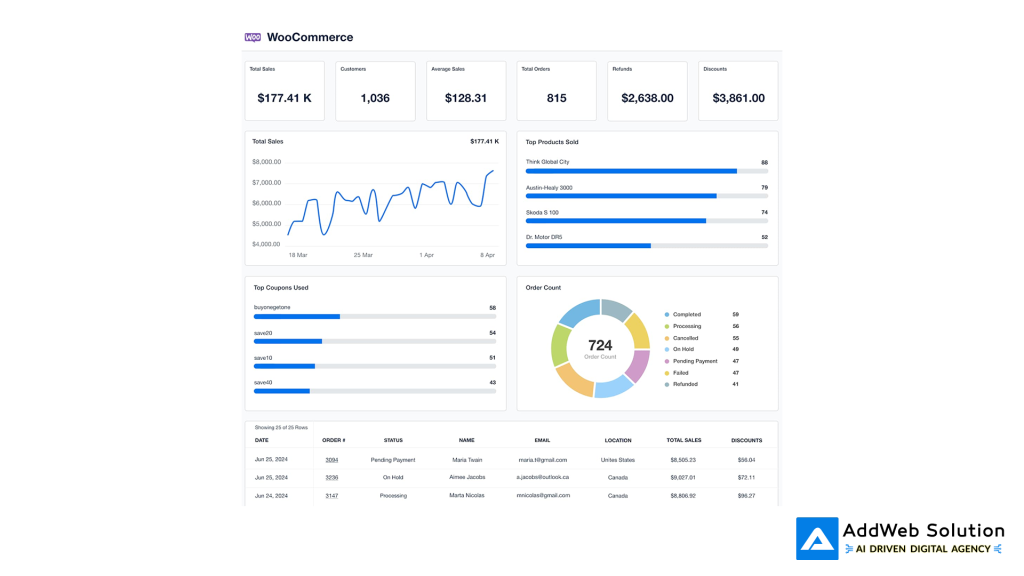
Customizable WooCommerce Dashboard – Try It Free
The Business Reality:
Here’s what matters if you manage a WooCommerce store in 2026: the stores that win aren’t the ones with the most features. They’re the ones with the best data—understanding who their customer is, what they want before they know it, and delivering experiences that feel personal.
WooCommerce, paired with AI plugins and headless architecture, gives you the infrastructure for that. The implementation details matter less than the strategy.
Part 4: Real-Time Collaboration—Google Docs Meets WordPress
WordPress 7.0 isn’t arriving until 2026 (possibly April), but Phase 3 of the Gutenberg project is already in motion, and it’s focused entirely on one thing: collaboration.
Multiple people editing the same post simultaneously without conflicts. Client feedback happening in real time during calls, not through email chains. Designers adjusting layouts while content creators add copy, both seeing changes instantly.
This is the feature that separates WordPress from earlier-generation CMS platforms.
How It Works (Behind the Scenes)
Gutenberg Phase 3 uses sophisticated conflict resolution algorithms—likely Conflict-Free Replicated Data Types (CRDTs) or Operational Transform—to handle simultaneous editing. Here’s the magic: two people can edit different paragraphs in the same post without stepping on each other. They can even edit the same paragraph, and WordPress intelligently merges the changes.
Real-time design collaboration means your designer can adjust layouts while your content lead adds text. No more “I’ll update the design once you finish copy.” It all happens together.
Why This Matters for Agencies & Teams
Agencies billing by hours care about efficiency. Collaborative editing removes friction from workflows. Internal teams move faster. Client reviews happen during calls instead of across three rounds of email. This multiplies productivity across your entire operation.
The competitive advantage for agencies in 2026? The ones with efficient collaboration workflows will turn faster iterations, lower feedback cycles, and higher client satisfaction into sustainable pricing power.

Collaboration Among Team Members in a Modern Workspace
Part 5: Security, Performance & The New Standards
Let’s talk about the elephant in the room: security of your WordPress-powered website.
The Vulnerability Landscape
- 2023: 5,943 vulnerabilities discovered
- 2024: 7,966 vulnerabilities discovered (34% increase)
- 2025 (projected): 10,500+ vulnerabilities
That’s not a sign that WordPress is getting less secure. It’s a sign that WordPress is being scrutinized more heavily, and the ecosystem is growing. 89% of vulnerabilities are in plugins, not core. The more plugins you install, the more attack surface you expose.
Real Critical Vulnerabilities from 2025
WordPress File Manager plugin (700K+ installations): Remote code execution allowing unauthenticated file uploads and execution.
The Events Calendar (800K+ installations): SQL injection vulnerability (CVSS 9.3) allowing unauthenticated database access.
LiteSpeed Cache, WooCommerce, Polylang, Post SMTP: All saw critical vulnerabilities in 2025.
The 2026 Reality
Security isn’t getting better by adding more plugins. It’s getting better by:
- Reducing plugin count – Doing more with fewer, well-maintained plugins
- Faster update cycles – WordPress now has a 24-hour safety window for plugin updates before auto-install
- Core hardening – WordPress 6.9 includes automatic protection mechanisms, stronger encryption, more robust authentication
- Automated security patches – Future updates will handle plugin and theme security patches automatically
The best security practice? Keep fewer plugins, keep them updated, and use a host that handles automated backups and staging environments.

WordPress vulnerabilities increased 34% in 2024, highlighting growing security complexity as the plugin ecosystem expands
Performance & Core Web Vitals: Why This Matters for SEO
Google’s Core Web Vitals directly impact search rankings. Sites that run on WordPress and meet these thresholds are 24% less likely to have high bounce rates.
| Core Web Vital | Target | Poor Performance |
| Largest Contentful Paint (LCP) | <2.5 seconds | >4.0 seconds |
| Interaction to Next Paint (INP) | <200 milliseconds | >500 milliseconds |
| Cumulative Layout Shift (CLS) | <0.1 | >0.25 |
Most sites hosted on WordPress miss these targets because of:
- Unoptimized images
- Blocking JavaScript and CSS
- Render-blocking third-party scripts
- Poor hosting infrastructure
The fix doesn’t require rebuilding everything. Image optimization, lazy loading, CSS/JS deferral, quality hosting—these foundational moves get most sites to “good” CWV scores.
WordPress 6.0+ has better resource hint management built in. Using a caching plugin like Jetpack Boost or Kinsta’s server-level optimizations handles most of the heavy lifting.
Part 6: Block Themes vs. Page Builders—The Landscape Shift
The page builder market in 2025 looks like this:

Elementor commands 45% of the page builder market among WordPress sites, making it the industry standard for visual site building
Elementor dominates with 45% market share among page builder users—over 12 million active websites. Divi sits comfortably in second at 17%. But here’s what’s interesting: the conversation in 2026 is shifting away from “which page builder” to “when will we even need a page builder.”
Block Themes Are Eating Page Builders’ Lunch
Full Site Editing (FSE) brought block-based editing to headers, footers, and entire page layouts—not just content. Block themes package premade layouts, patterns, and styles so you don’t build from scratch.
The trend isn’t “block themes replace page builders.” It’s “block themes make page builders unnecessary for 60% of projects.”
Why? Because Gutenberg’s improved: better block patterns, easier block navigation, new block types. You get professional layouts without loading a heavy page builder plugin that slows down your site.
The Developer Reality
Performance-focused developers are choosing block themes because they:
- Load faster (Gutenberg is native, page builders are plugins)
- Have less JavaScript overhead
- Integrate better with WordPress’s future direction
- Work seamlessly with AI-assisted design tools
By 2026, we’ll see the market split into two camps:
Camp 1: Performance & Simplicity – Block themes, Gutenberg, minimal plugins. Usually for blogs, small business sites, information-heavy projects.
Camp 2: Complex Custom Design – Still using Elementor or Divi, but increasingly with headless architecture. Usually for e-commerce, custom applications, agency builds with high design complexity.
The page builder market hasn’t peaked—it’s matured. Elementor’s dominance will likely stabilize between 40-50% market share rather than grow. The real growth is in the block theme ecosystem and headless commerce.
Part 7: Global Expansion & Multilingual WordPress
Here’s a statistic that reveals the true reach of WordPress: 56% of its installations run in languages other than English.
Japanese is the second most-used language on WordPress at 5.82% of all sites. Spanish, German, French, and Brazilian Portuguese follow. WordPress powers 58.5% of all Japanese websites and 83% of the CMS market in Japan.
In 2025, WordPress is fundamentally a global platform. This has implications for 2026.
Gutenberg Phase 4: Multilingual Support in Core
Right now, multilingual functionality requires plugins like Polylang, WPML, or Weglot. These work but create performance trade-offs if not configured properly. Keeping plugins updated and adding new languages becomes a maintenance burden.
Gutenberg Phase 4 aims to solve this by building multilingual support directly into WordPress core. Translation would become instant. Content would be automatically available in multiple languages without plugin overhead.
This won’t happen in 2026 (Phase 4 is part of WordPress 7.0+), but the groundwork is being laid now. By 2027-2028, expect multilingual WordPress to feel as native as English.
What This Means
For global brands and agencies serving international clients, the friction of managing multiple languages in WordPress dissolves. Regional sites become easy to manage from a single CMS. Content synchronization across languages becomes automatic.
Key Takeaways: What This Means for Your Business
For Site Owners of WordPress:
- Update, but be strategic – Upgrading to WordPress 6.9 is safe and recommended. The 24-hour safety window for auto-updates means you’re protected even if something breaks early.
- Audit your plugins – Vulnerability growth is primarily in the plugin ecosystem. Do you really need all the plugins you have installed? Can you consolidate functionality?
- Optimize for Core Web Vitals – If SEO matters to your business (and it probably does), prioritize LCP, INP, and CLS. These directly impact rankings now.
- Plan for collaboration – If you have multiple team members or frequently collaborate with clients, start thinking about how real-time editing changes your workflows.
For WordPress Agencies:
- Invest in headless WordPress skills – The next generation of complex projects will be headless. Knowing React + WordPress opens significant revenue opportunities.
- Leverage AI for client value – Agencies that integrate AI into their service delivery (content creation, SEO optimization, design acceleration) command premium pricing.
- Build collaborative workflows – The agencies that execute fastest with lowest feedback cycles will win more business. Gutenberg Phase 3 is built for this.
- Security becomes a service – Not just saying “we keep your site updated,” but actively monitoring, auditing, and hardening WordPress installs. This is table stakes and a service differentiator.
For Plugin & Theme Developers:
- The Abilities API is your ticket – Understand it, implement it, make your plugin smarter through it. AI agents will soon be choosing plugins based on capability integration.
- Performance is expected – Not optional, not future-focused. If your plugin makes sites slower, it won’t get installed. Use the Interactivity API instead of heavy JavaScript.
- Block support isn’t optional – Even if you build page builders, blocks are the future. Build compatibility, build support, build patterns.
- Privacy and security are features – Not afterthoughts. If you’re integrating with external services or collecting data, be transparent and secure from day one.
The WordPress of 2026: Confident, Ambitious, Open
When you step back from the technical details, WordPress in 2026 is a platform becoming more ambitious while remaining true to its founding principles.
More ambitious because it’s tackling AI integration, real-time collaboration, global accessibility, and enterprise-grade security. These are hard problems.
True to its founding principles because every innovation is filtered through the lens of freedom, openness, and user agency. WordPress isn’t trying to lock you in. It’s trying to empower you to build more, faster, with less friction.
The next chapter of WordPress isn’t being written by a company. It’s being written by thousands of contributors across continents, building together. That’s what makes it resilient.
Transform your website with WordPress 2026 updates
Pooja Upadhyay
Director Of People Operations & Client Relations
What’s Your Next Move?
For AddWeb Solution clients: We’re monitoring these trends closely. If you’re building on WordPress, expect us to show up with recommendations on how to leverage real-time collaboration, AI integration, and performance optimization specific to your business model.
For developers exploring WordPress: 2026 is a great time to deepen your skills. The platform is expanding in multiple directions—core development, plugin architecture, theme design, headless implementations, AI integration. Pick a direction that aligns with your interests.
For everyone building on WordPress: You’re not just using a CMS. You’re part of a global movement that powers 43% of the web. That comes with responsibility to keep the platform secure, performant, and accessible. Update your plugins. Audit your code. Contribute back if you can.
WordPress in 2026 isn’t a prediction—it’s already here. The question is whether you’re ready to build with it.
Source URLs:
https://clevertize.com/blog/wordpress-market-share-2025-stats-trends/
https://www.hostinger.com/in/tutorials/ai-plugins-for-wordpress
https://wordpress.org/news/2025/12/sotw-2025/
https://wordpress.com/blog/2025/04/17/wordpress-market-share/
https://www.reddit.com/r/Wordpress/comments/1o58cm8/headless_wordpress_in_2025_whats_your_stack_and/
https://gutenbergtimes.com/roadmap-for-wordpress-7-0-and-schedule-commands-for-the-command-palette-gutenberg-22-3-and-more-weekend-edition-353/
