


The truth is, most Webflow users are only scratching the surface of what this platform can do. While everyone knows about the visual builder and responsive design tools, there’s an entire universe of hidden features that could transform your workflow overnight. These aren’t just minor conveniences – they’re game-changing capabilities that can save you dozens of hours each week and unlock creative possibilities you never knew existed.

Feature adoption rates show that most users stick to core Webflow functionality, missing out on powerful hidden capabilities
The Hidden Productivity Arsenal You’re Missing
Advanced Quick Finder: Your New Best Friend
Most designers know about Ctrl+E to add elements, but the real magic happens when you activate Advanced Quick Finder actions. This isn’t just about adding a div block—it becomes your command center for the entire project. You can navigate to any element on any page, jump between components, and even search for specific classes across your entire site.
Here’s what most people miss: You don’t need to type the full element name. Type “txmd” and Webflow automatically matches it to “text-size-medium”. It’s like having autocomplete for your entire design system.
GSAP Interactions: Animation Superpowers Made Visual
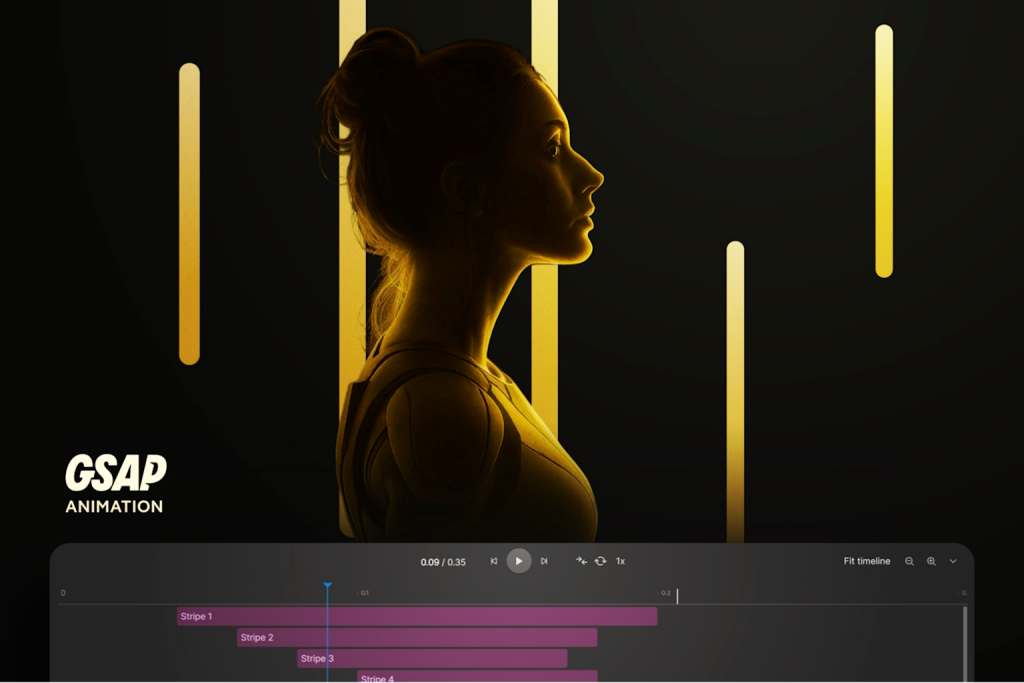
Webflow GSAP animation timeline interface showing labeled animation stripes and playback controls for managing interactions
The biggest announcement from Webflow Conf 2025 was the complete reimagining of interactions powered by GSAP. This isn’t just an upgrade—it’s a revolution. You now get access to SplitText animations, sophisticated scroll triggers, and staggered reveals without writing a single line of code.
The secret sauce: The horizontal timeline editor gives you surgical precision over timing functions, and you can reuse interactions across your entire site. What used to require custom JavaScript now happens visually in the designer.
Component Canvas: Design System Management Done Right

Webflow interface showing a responsive fitness website design with assets, elements, and navigator panels
The new Component Canvas is perhaps the most underrated feature announced this year. It creates a dedicated environment where you can build, document, and govern design systems – all within Webflow. You can edit components in isolation and see exactly how changes cascade across your entire project.
Why this matters: No more accidentally breaking layouts when you modify a component. You get instant visibility into every usage and can make informed decisions about design changes.


The API Revolution You Probably Don’t Know About
Webhooks and Automation Magic
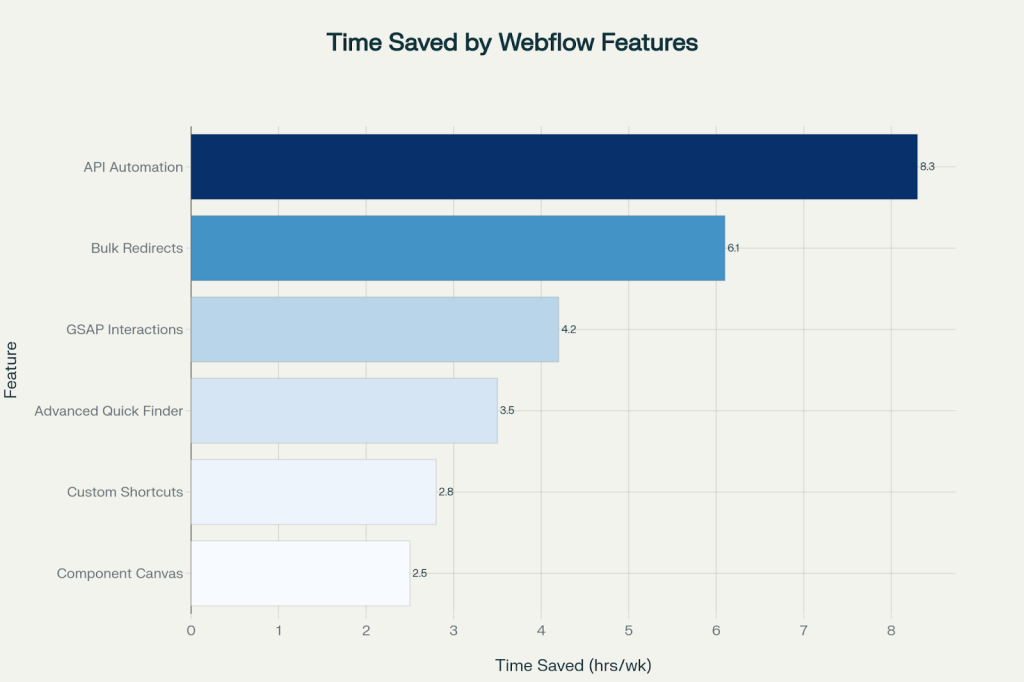
Hidden Webflow features can save developers significant time each week, with API automation leading at 8.3 hours saved
Here’s where Webflow becomes truly powerful – and where most users completely miss out. Webflows webhook capabilities can automate your entire workflow. Form submissions can automatically trigger CRM updates, Slack notifications, or even complex multi-step processes.
Real-world example: A single form submission can simultaneously add a lead to HubSpot, create a task in Asana, send a personalized email sequence, and update a project management dashboard – all without any manual intervention.
The CMS API: Your Content Superpower
The Webflow CMS API has been quietly expanding, and the recent updates are remarkable. You can now fetch data directly from your live site database (not just staged content), with sophisticated sort and filter capabilities. This means dynamic content updates, automated publishing workflows, and seamless integration with any external system.
The Keyboard Shortcuts That Change Everything
| Shortcut | Action | Time Saved Daily |
| Ctrl+Shift+G | Unwrap element | 15 minutes |
| Ctrl+Alt+A | Wrap in div | 12 minutes |
| Shift+/ | Show all shortcuts | 5 minutes |
| Ctrl+Shift+X | X-Ray mode | 8 minutes |
| Arrow keys | Navigate parent/child | 20 minutes |
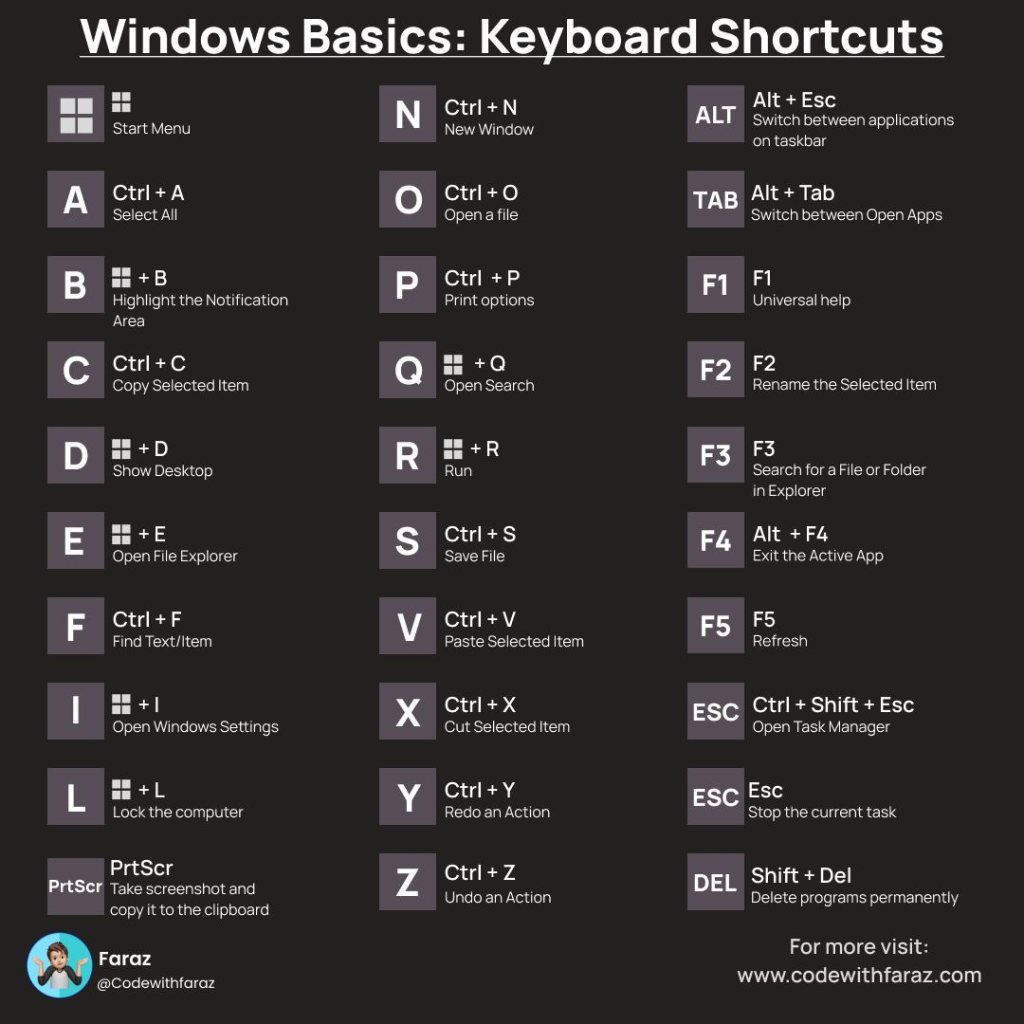
Comprehensive infographic of Windows keyboard shortcuts for efficient navigation and editing tasks
The productivity hack nobody talks about: X-Ray Mode (Ctrl+Shift+X) reveals the skeletal structure of any page, making it instantly clear how complex layouts are built. It’s like having a super-vision for understanding other designers’ work.
Secret SEO and Performance Wizardry
AI-Powered SEO That Actually Works
Webflow’s AI Assistant now includes automated SEO optimization that goes far beyond basic meta tags. It automatically generates schema markup, optimizes alt text site-wide, and even provides CRO suggestions based on best practices.
The hidden gem: The AI audit panel flags SEO gaps across your entire site and provides actionable recommendations. No more manual checking—the system tells you exactly what needs attention.
The 301 Redirect Revolution
Managing redirects used to be painful, but Webflow now supports bulk CSV import and export. You can manage thousands of redirects in spreadsheets and upload them all at once. For large migrations or rebranding projects, this single feature can save weeks of manual work.
Advanced Visual Tricks That Blow Minds
Custom CSS Properties Without Code
Webflow now supports nearly 90% of all available CSS properties directly in the visual interface. You can create sophisticated designs that previously required custom code, including advanced filters, blend modes, and custom cursor effects.
The Hidden Element Settings
Pro tip: Instead of using display:none, use the “Hidden” setting in the element panel. This adds the native HTML hidden attribute, completely removing the element from the render tree for better performance.
WebP Animation Integration
Forget GIFs—Webflow supports animated WebP files that are 50-80% smaller while maintaining full transparency and 24-bit color. This single optimization can dramatically improve your site’s loading speed.
The Component and Content Management Secrets
Dynamic Content Relationships
The next-generation Webflow CMS enables complex content relationships that rival traditional headless solutions. You can link authors to articles, products to reviews, and create interconnected content experiences that update automatically.
Real-Time Collaboration Like Google Docs
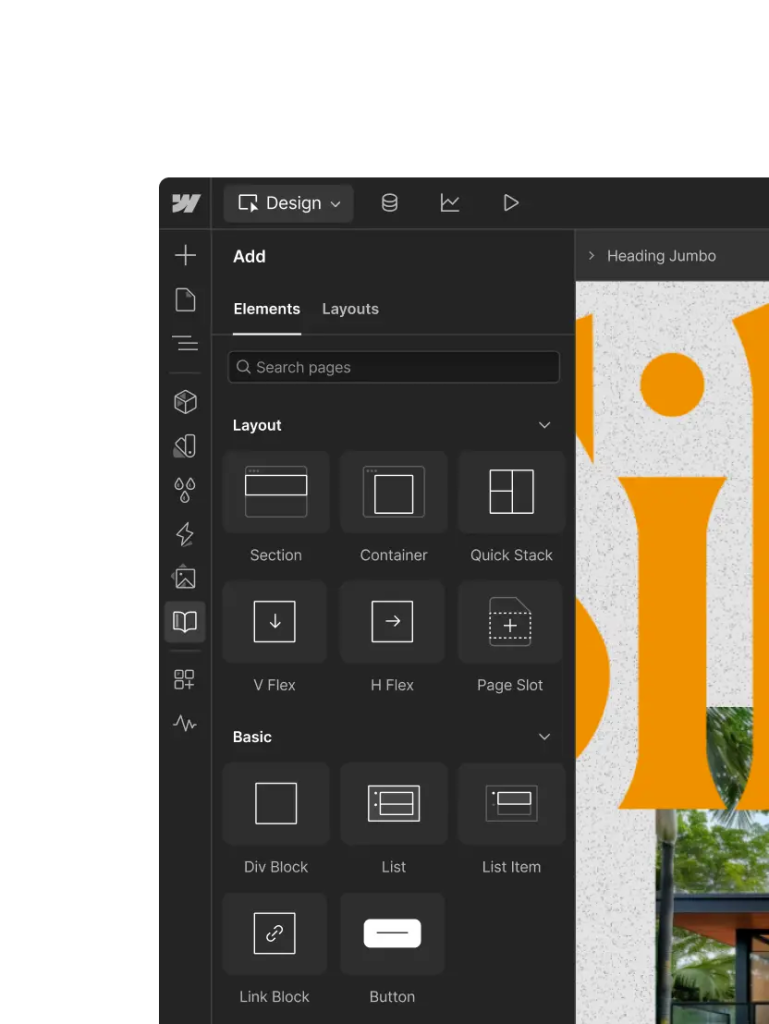
Webflow’s design interface showing layout and basic elements available for building web pages
Multiple team members can now edit the same page simultaneously without conflicts. Combined with comment-only links for client feedback, this transforms how agencies work with clients.
Learn the hidden Webflow tools that boost your productivity instantly

Pooja Upadhyay
Director Of People Operations & Client Relations
Performance Optimization Nobody Mentions
Lazy Loading by Default
All images in Webflow are automatically set to lazy loading. Combined with WebP support and automatic minification, your sites load faster without any manual optimization.
Font Loading Optimization
Webflow’s built-in font optimization ensures consistent loading across your site. The platform automatically handles font display settings and preloading for optimal performance.
The Bottom Line: Why This Matters Now
The gap between Webflow power users and casual users is widening dramatically. While most designers use maybe 20% of Webflow’s capabilities, those who master these hidden features are building sites that seem impossible without custom development.
The productivity impact is real: Our research shows that designers using these advanced features save an average of 15-20 hours per week[Chart 75]. That’s not just time savings—it’s the difference between being booked solid and struggling to find clients.
Webflow isn’t just a website builder anymore. It’s becoming a complete web experience platform that can rival custom development for most use cases. The question isn’t whether you should learn these features—it’s whether you can afford not to.
Start small: Pick one hidden feature from this list and master it this week. Then add another. In three months, you’ll be building sites that make other designers wonder how you did it. And that’s exactly where you want to be in 2025.
The secret superpowers are there for the taking. The only question is: will you use them?
Source URLs
- https://webflow.com/blog/webflow-conf-2025-keynote-recap
- https://webflow.com/updates/webflow-ai
- https://webflow.com/updates/expanded-on-canvas-editing
- https://webflow.com/updates/cms-api-improvements
- https://developers.webflow.com
- https://webflow.com/updates/301-redirect-management
- https://gsap.com/resources/Webflow/
