


A Webflow site isn’t expensive because of the platform – it becomes expensive when built with poor architecture. Bad structure leads to higher maintenance, slow performance, SEO losses, and costly rebuilds that can exceed $36K over three years. Investing a bit more upfront in smart, scalable architecture saves 80% of long-term costs and boosts revenue.
The Real Cost of Poor Webflow Architecture
Here’s the breakdown that most Webflow users never see coming:
| Cost Category | Year 1 | Year 2 | Year 3 | Total |
| Platform & Hosting | $228 | $228 | $228 | $684 |
| Ongoing Maintenance | $2,400 | $3,600 | $5,400 | $11,400 |
| Emergency Fixes | $500 | $2,000 | $8,500 | $11,000 |
| Performance Optimization | $0 | $3,000 | $4,500 | $7,500 |
| Unplanned Rebuilds | $0 | $0 | $15,000 | $15,000 |
| 3-Year Total | $3,128 | $8,828 | $33,628 | $45,584 |
Webflow isn’t pricey because of its plans – those start as low as $14/month. The real cost shows up when a website is built the wrong way. Bad architecture leads to messy code, constant fixes, slow performance, and even full rebuilds later. Over three years, those mistakes can make a Webflow site 80% more expensive, wasting over $36,700 in avoidable costs. A well-architected Webflow site averages $8,878 over three years, compared to tens of thousands in fixes for a rushed build.
The takeaway? Paying 20% more for quality today can save you 80% in headaches tomorrow — and leave you with budget for things that actually grow your business.

Where the Invisible Costs Hide
1) Maintenance Chaos = Money Drain
A sloppy Webflow build means every small change becomes a time-sucking nightmare. One button can exist in 47 versions across the site—change its color, and you just lost your afternoon. With proper components, that update takes one click. Bad builds quickly add up to 12+ hours of monthly maintenance, costing an extra $1,200–$1,800 every month and burning teams out.
2) Slow Sites = Lost Revenue
Skipping optimization doubles load time over time. Every extra second costs 7% in conversions. For an e-commerce store, that can mean $7,000 lost per month—all because images weren’t compressed or CMS queries weren’t optimized. And if your site eats too much bandwidth? Webflow bumps you into a pricier plan. That’s $2,400/year wasted for no new features.
3) CMS Debt = Forced Rebuilds
A CMS built poorly works for 50 items, then falls apart at 500. Sites slow down, break, and eventually require a rebuild. One business paid $14,000 just to fix what planning could’ve prevented.
4) SEO Neglect = Invisible Website
Bad architecture silently kills SEO. Broken structures, messy URLs, slow Core Web Vitals—these can cost up to 73% of your organic traffic, translating to hundreds of thousands in lost revenue over time. And the worst part? You don’t see the drop. You just never reach the top.


Performance Impact on Revenue
The data here is unambiguous: page speed directly determines whether customers stay or bounce. Unlike abstract architectural benefits, conversion impact is measurable and immediate.
Slow Loading = Lost Sales
Every second your site slows down, conversions tank:
- 1s: Perfect performance
- 2s: Conversions drop 7%
- 3s: Drop hits 20%
- 5s+: Over half of mobile users leave
If your store makes $100,000/month, just one extra second can cost $7,000 every month. That’s $84,000 a year, caused by a problem that costs $500–$1,000 to fix.
The Longer It’s Slow, the Worse It Gets
Slow sites don’t just lose sales — they lose momentum:
- More people bounce
- Fewer pages get viewed
- Only 45% of frustrated users ever return (vs 86% for fast sites)
- Google ranks you lower, bringing in even fewer visitors
It becomes a vicious cycle: slow site → fewer sales → less budget to fix it → even slower site.
The Technical Debt Spiral
Technical debt in web architecture follows a predictable pattern resembling a business illness: early symptoms are invisible, progression is exponential, and late-stage intervention is extremely expensive.
How Technical Debt Accumulates
Year 1: Looks Great… for Now
The site launches, looks polished, and everyone’s happy. Some quick shortcuts (messy components, no documentation, unoptimized assets) get ignored because “everything works.” The hidden $3K–$5K cost is buried, waiting.
Year 2: Slow and Costly
Marketing asks for new pages… but nothing is reusable. Developers spend 3x longer figuring out old work. Unoptimized files trigger surprise Webflow plan upgrades. Fixes and workarounds pile up, costing $8K–$15K. Content slows, performance dips.
Year 3: The Full Meltdown
The site can’t handle its growth. It slows down, SEO stalls, bounce rates climb. Simple updates risk breaking everything. Features take 8 weeks instead of 2. Now the bill explodes: $30K–$50K for emergency fixes or a rebuild. Growth stalls. Teams get frustrated. Money burns.

The McKinsey Reality Check
According to McKinsey research, technical debt represents approximately 40% of IT balance sheets, with organizations incurring an additional 10–20% in costs to resolve it on top of existing project expenses. In plain terms: if your Webflow site costs $15,000 to build poorly, you’re likely facing $7,500–9,000 in additional resolution costs (40–60% premium) to fix the problems that poor architecture created.
Smart Architecture: The Antidote
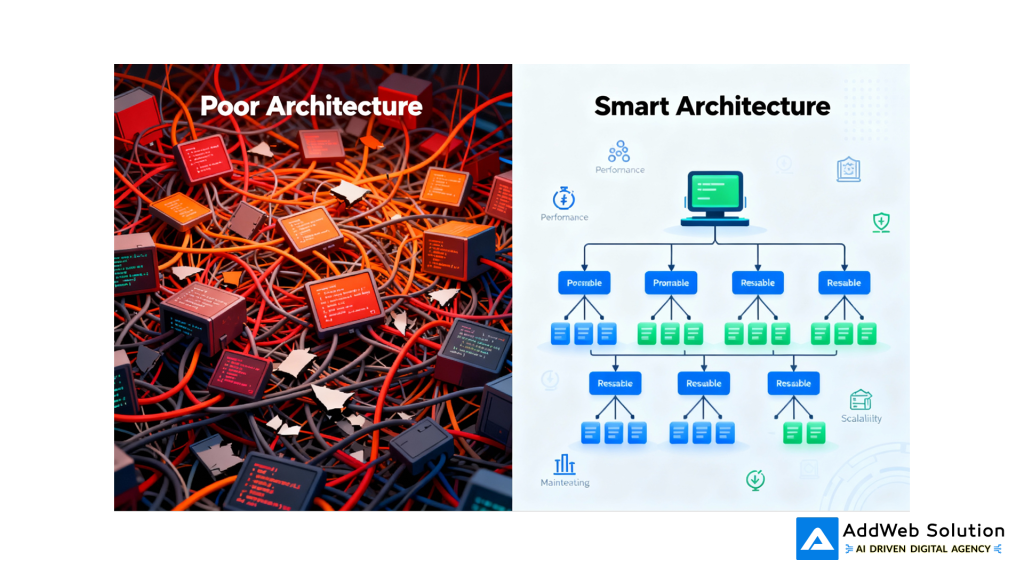
The solution isn’t rocket science, but it does require intentional design thinking upfront. A smart Webflow architecture prevents 95% of these problems before they start.
Build Systems, Not Pages
Smart Webflow sites are made of reusable components. One button, many variants — not 47 random versions. Change it once, it updates everywhere. Marketing can’t break things, and developers build faster.
Impact:
✔ 60–70% faster updates
✔ 80% fewer bugs
✔ New devs onboard in days, not weeks
CMS That Scales (Instead of Breaks)
A good CMS has clear parent–child relationships, not one overloaded collection. It works just as well with 50 items as 5,000 — without slowing down or forcing plan upgrades.
Impact:
✔ Pages load under 2 seconds
✔ Better SEO + UX
✔ No surprise billing
Performance from Day One
Speed isn’t added later — it’s built in. Optimized images, clean code, caching, and efficient queries keep sites fast and costs predictable.
Impact:
✔ 1.2–1.5s load time
✔ Stable hosting costs
✔ Higher conversions + SEO boost
Document or Pay Later
Even simple documentation saves time and avoids broken updates. It explains what was built, why, and how to use it.
Impact:
✔ Faster onboarding
✔ Lower maintenance
✔ Fewer bugs from guesswork
Best Practices for Scalable Webflow Builds
1) Build with Components from Day One
Create reusable buttons, cards, forms, and navigation. Change once, update everywhere. No more “47 versions of the same button.”
2) Design the CMS for Growth
Plan like you’ll have 10,000 items, not 50. Use clean relationships and structure so you never need an expensive rebuild later.
3) Optimize Images (Seriously)
Use WebP, lazy loading, and proper sizing. It cuts bandwidth by 40–60% with zero quality loss.
4) Check Speed & Bandwidth Monthly
Track Core Web Vitals and usage. Spot small issues before they become expensive problems.
5) Document the Basics
Even a simple guide saves future developers hours and prevents messy updates.
6) Hire Builders, Not Just Designers
Good Webflow developers talk architecture. Bad ones only talk aesthetics.
See the Webflow features that change everything

Pooja Upadhyay
Director Of People Operations & Client Relations
Practical Takeaways for Your Next Project
→ If You’re Building a New Webflow Site
Spend a couple of days planning before you design.
- Define components and design rules early
- Plan a CMS that can grow 10×
- Build speed optimization into the scope
- Add documentation to the budget
- Pick a developer who talks systems, not just looks
You’ll pay ~20–30% more upfront, but save 80% over 3 years.
→ If Your Current Site Is Struggling
- Run a technical audit (speed, bandwidth, CMS, components)
- Fix the biggest ROI issues first
- Improve architecture in phases, not a full rebuild
- Document as you go so fixes stack over time
In 6–12 months, maintenance drops ~60%. In 18–24 months, your site becomes stable and scalable.
Conclusion
A Webflow site isn’t just a website – it’s infrastructure. When it’s built poorly, everything looks fine at first… until it suddenly isn’t. Then come the slow pages, constant fixes, and the painful $30K rebuild no one planned for.
Good architecture avoids all of that. It costs a little more upfront, but it saves huge over time, keeps your team fast, and helps your site grow without breaking.
So when someone says “let’s skip planning to move faster,” remember: you’re not saving time – you’re just pushing the bill into Year 2 and 3, where it’s 10× more expensive.
Build smart. Scale without stress. AddWeb helps you do it right from day one.
Source URLs
- https://www.cloudflare.com/learning/performance/more/website-performance-conversion-rates/
- https://help.webflow.com/hc/en-us/articles/33961410031507-Bandwidth-overview
- https://mycodelesswebsite.com/webflow-statistics/
- https://www.goodfirms.co/resources/website-construction-cost-survey
- https://www.hostinger.com/in/tutorials/website-maintenance-cost
- https://uptimerobot.com/blog/hidden-costs-of-downtime/
- https://www.coredna.com/blogs/cms-performance-optimization-techniques-best-practices
