


A few years ago, if you wanted a website that felt alive, scroll-triggered reveals, staggered text, smooth 3D-ish transforms, or carefully timed hover states, you either hired a motion specialist or accepted that the interaction layer would live in custom JavaScript.
That gap is closing fast. In 2026, Webflow’s Interactions (now powered by GSAP) let designers and marketers build production-grade motion visually, with a horizontal timeline, reusable presets, and performance-minded controls that simply did not exist at this level before.
I’ve watched teams at AddWeb Solution move from “we’ll add animation later” to shipping polished motion systems in the same sprint as the rest of the site.
The difference is no longer just aesthetic. It is how quickly a brand can create moments that hold attention and guide the eye without slowing the page down.
What changed with Webflow Interactions (GSAP era)
Webflow acquired GSAP and, by mid-2025, replatformed its native Interactions engine on it. The result is a visual interface that gives you GSAP’s strengths, SplitText, staggers, ScrollTrigger, precise easing, and complex timelines, without writing the code yourself.
You get a horizontal timeline instead of the older stacked list. You can scope interactions to components, reuse them across the site, set prefers-reduced-motion behavior, and control when the animation code loads.
DevLink now exports many of these GSAP-powered interactions into React projects, so the same motion can live in a hybrid stack.
The practical outcome is that marketing and design teams can iterate on immersive sections the same way they iterate on layout or copy. No ticket queue for every micro-interaction.

How the new visual workflow actually works
You still pick a trigger (scroll into view, click, hover, page load) and a target. The difference is the depth of control afterward. Duration, delay, ease curves, stagger amounts, and property changes sit on a clear timeline.
Advanced targeting lets you hit classes, attributes, or even custom selectors. Component-scoped interactions keep large design systems from becoming tangled.
For teams already using AI inside Webflow, the interaction layer pairs with AI-generated code components. You can describe a pricing calculator or multi-step reveal and then layer native Interactions on top of it. The combination is powerful when used carefully.
Real sites already show what is possible: scroll-driven product stories, elegant text splits that feel editorial, and hover systems that respond without feeling gimmicky. The best ones treat motion as hierarchy and pacing, not decoration.
Performance, accessibility, and real limits
Every interaction still carries a cost. Scroll sequences and continuous mouse-move effects are heavier than simple hover states.
Webflow’s newer engine improves the situation with better loading controls and lazy behavior for the GSAP runtime, yet the old rule remains: animate transform and opacity when you can, keep the number of simultaneous complex timelines reasonable, and always respect prefers-reduced-motion.
Core Web Vitals still matter. INP (Interaction to Next Paint) is the metric most sensitive to heavy interaction code. Clean builds that stay under roughly 10–15 meaningful interactions per key template tend to stay responsive; sites that pile on scroll sequences across every section often see the difference in field data.
Accessibility is no longer an afterthought. The updated Interactions include explicit reduced-motion settings so visitors who prefer less movement get a calmer experience without breaking the layout.


Comparison: old vs new interaction approaches

Growth and adoption signals
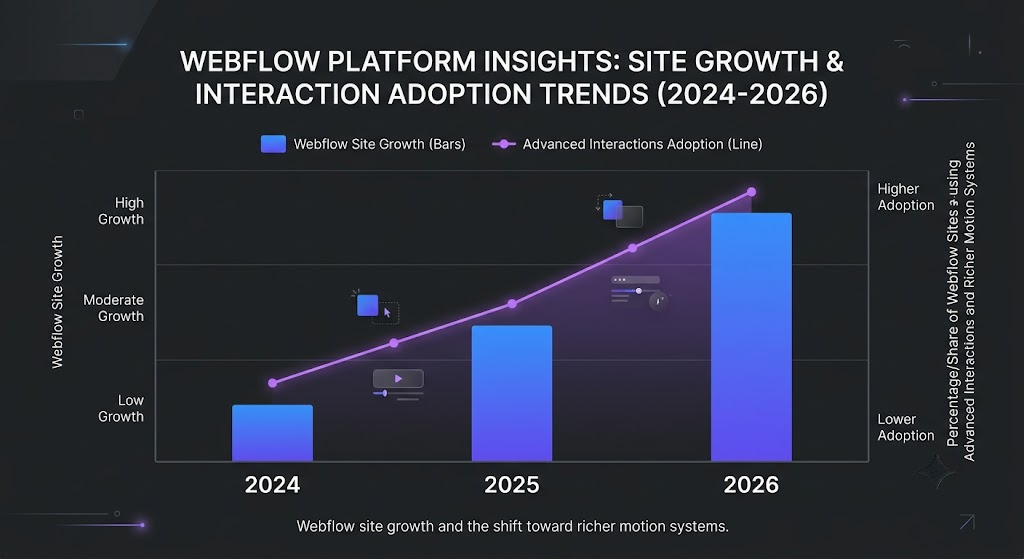
Webflow’s overall platform continues to expand, with active sites in the mid-hundreds of thousands and strong traction among design-led and SaaS marketing teams.
The Interactions upgrade sits inside that growth. GSAP itself became fully free for commercial use after the acquisition, removing a previous barrier for many studios.
HTTP Archive data still shows that the majority of the web relies on CSS transitions, while dedicated JavaScript animation libraries remain a minority, yet the sites that do invest in crafted motion are increasingly choosing visual tools that output clean, optimized code rather than hand-rolled scripts.
Interesting Fact Box
- Webflow’s new Interactions engine is built on GSAP and launched with native support for SplitText, staggers, and ScrollTrigger, all controllable without code.
- The horizontal timeline and reusable interaction presets were among the most requested workflow improvements from agencies and design teams.
- Prefers-reduced-motion support is now a first-class setting inside the Interactions panel. Sources: Webflow product announcements and help documentation, 2025–2026.
Practical takeaway
Immersive does not have to mean heavy. Start with a clear purpose for every interaction, guide attention, reveal hierarchy, or reward a key action, then build it in the visual timeline. Test on mid-range mobile devices, keep reduced-motion paths clean, and measure INP after you publish.
The future of Webflow Interactions is not unlimited motion; it is intentional, performant motion that anyone on the team can own and improve.
At AddWeb Solution we help product and marketing teams design interaction systems that feel premium without sacrificing speed or maintainability. If your next site needs to move with the same confidence as the rest of the brand, the tools are ready.
Build an Immersive Webflow Experience

Pooja Upadhyay
Director Of People Operations & Client Relations
Source URL
https://webflow.com/blog/webflow-interactions-with-gsap
https://webflow.com/updates/introducing-webflow-interactions-powered-by-gsap
https://webflow.com/feature/interactions-animations
https://webflow.com/blog/webflow-conf-2025-keynote-recap
